How to use skills-page
A visual walkthrough of every part of the workspace — from creating a Skill repository and organizing Sub-skills & Units to publishing on your profile.
STEP 01
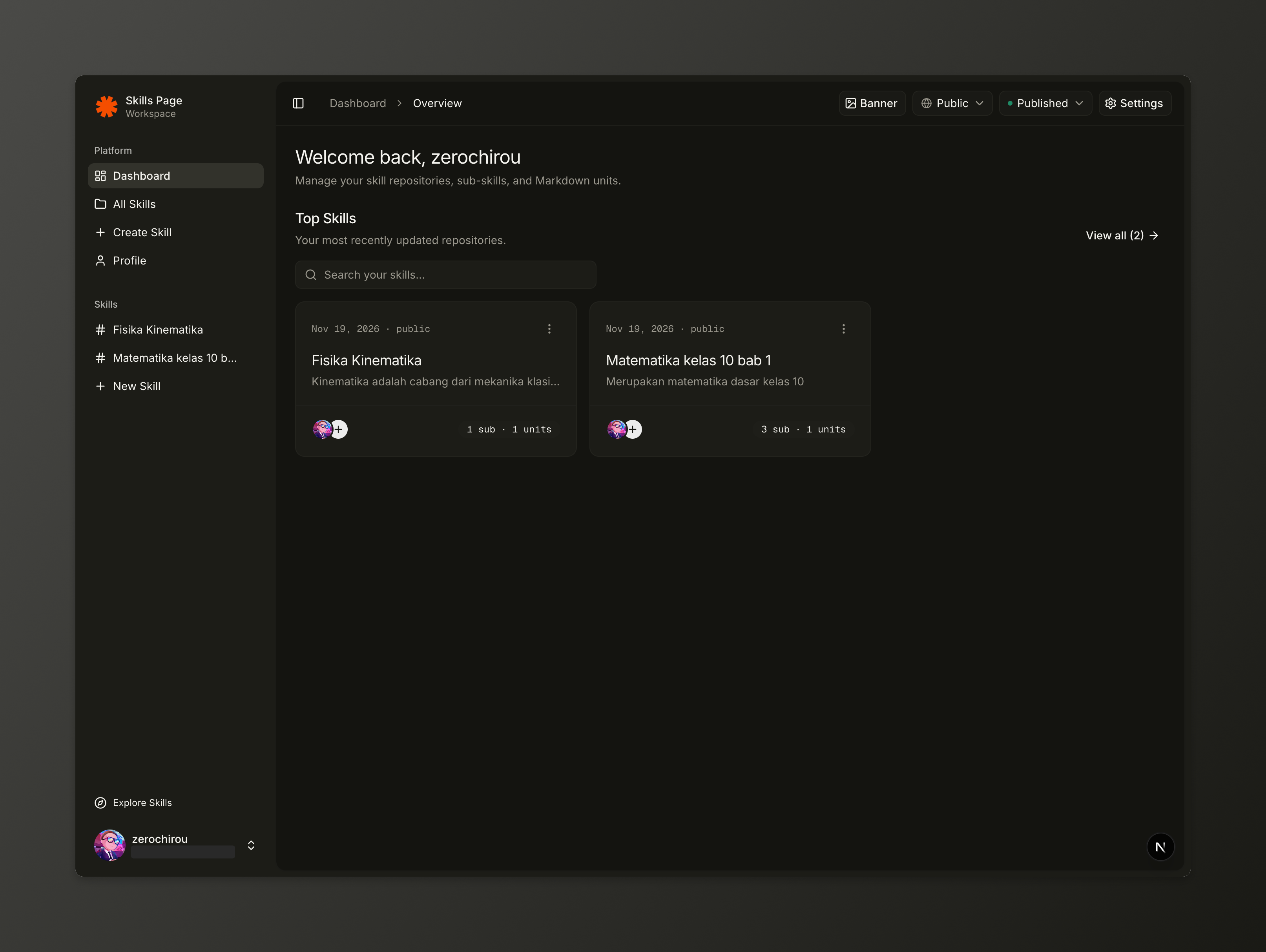
Dashboard Overview & Top Skills
Your central workspace for recently updated repositories.
- View your most recently updated skills under Top Skills with quick search filtering.
- Click View all to open /dashboard/all and browse every repository you own.
- Each card shows its last updated date, visibility, sub-skill/unit counts, and opens straight into the editor.
STEP 02
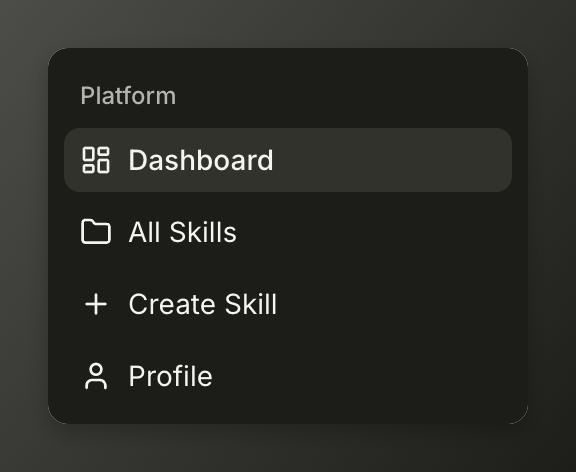
Platform Navigation
Move quickly between workspace views from the left sidebar.
- Dashboard opens your workspace overview (/dashboard).
- All Skills lists every repository in your workspace (/dashboard/all).
- Create Skill launches the 2-step repository wizard (/dashboard/skills/new).
- Profile opens your account and public profile settings.
STEP 03
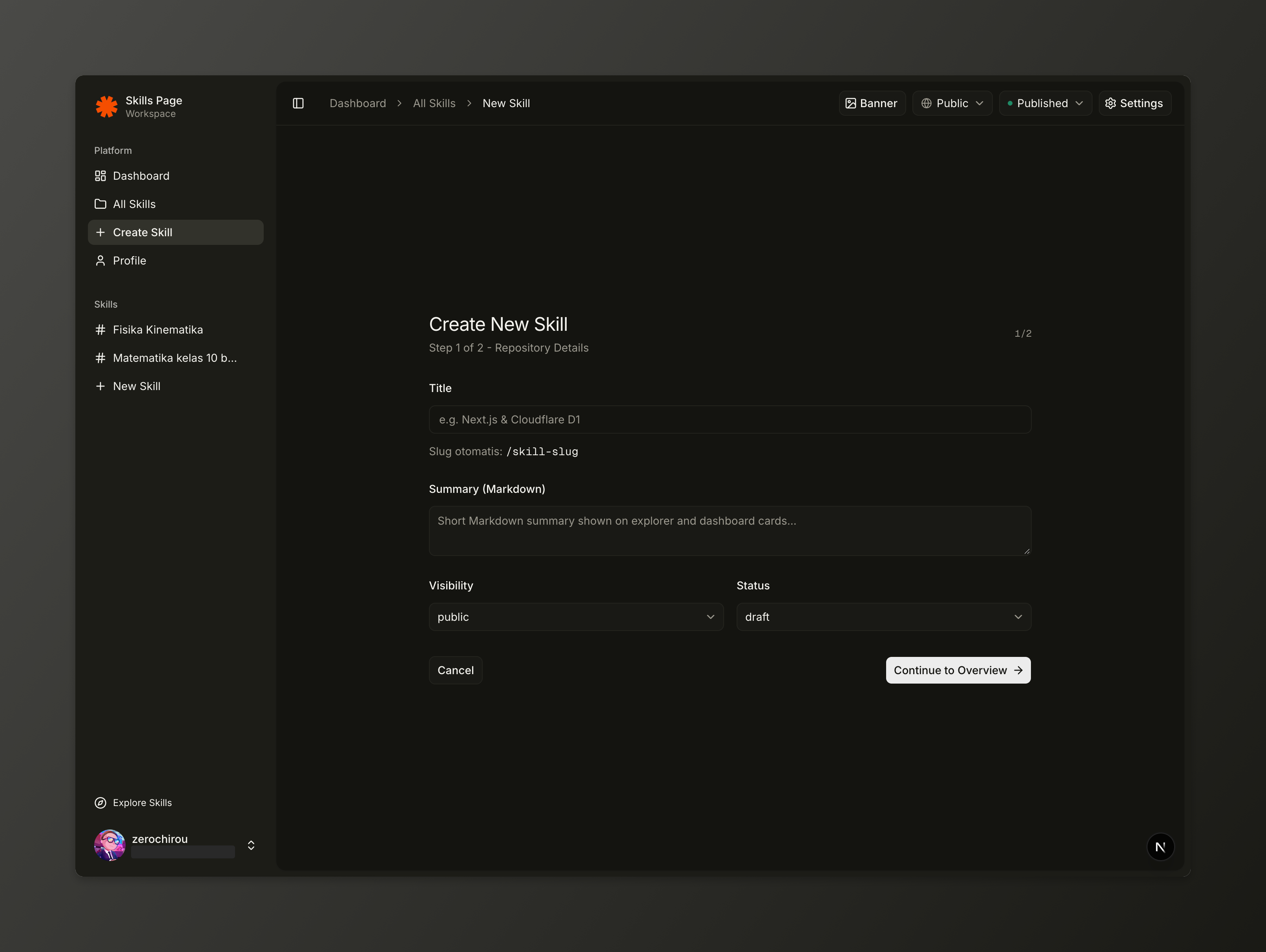
Create a New Skill Repository
Set up repository metadata and auto-generated URL slugs.
- Enter a Title and skills-page automatically generates a clean URL slug underneath.
- Add a short Markdown Summary that appears on Explorer and Dashboard cards.
- Pick Visibility (public or private) and Status (draft or published), then continue to Overview (README.md).
STEP 04
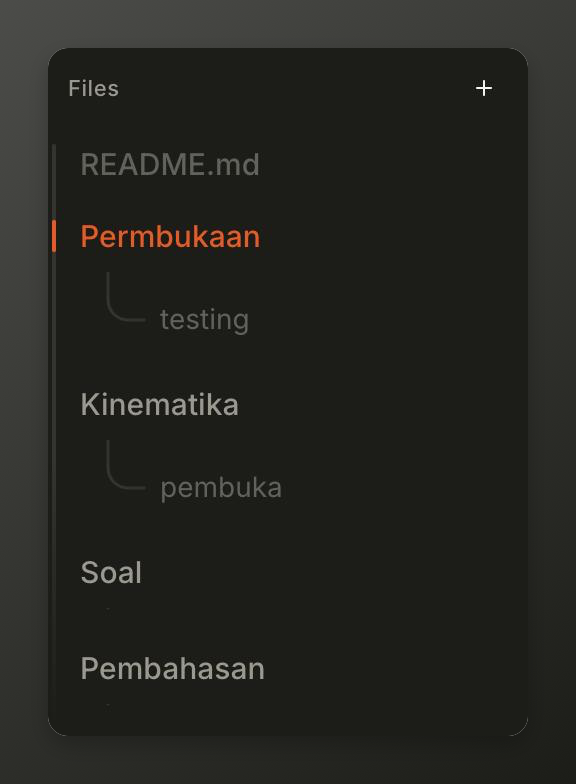
Organize Files in the Repository Tree
Manage README.md, Sub-skills (folders), and Units (pages).
- Click README.md to edit the main repository Overview.
- Use the + button to add Sub-skill folders, then add Unit pages inside each folder.
- Drag and drop folders or units to reorder them, or use the item menu to rename, duplicate, or delete.
STEP 05
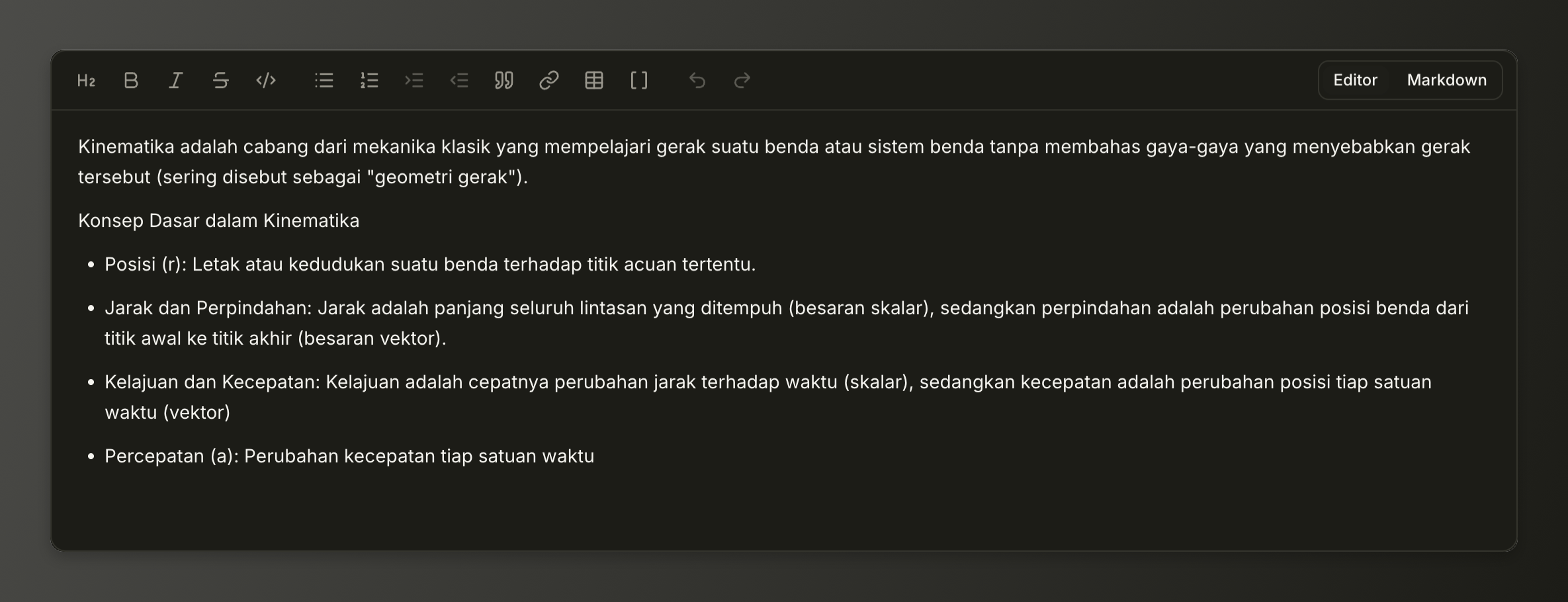
Write with the Markdown Editor
Rich editing with GFM tables, lists, and internal [[wiki-links]].
- Format headings, bold, italic, strikethrough, inline code, blockquotes, links, and tables from the toolbar.
- Use Bullet or Ordered lists with Tab / Shift+Tab for indentation.
- Type [[ to insert internal wiki-links to other skills, sub-skills, or units, or toggle to raw Markdown anytime.
STEP 06
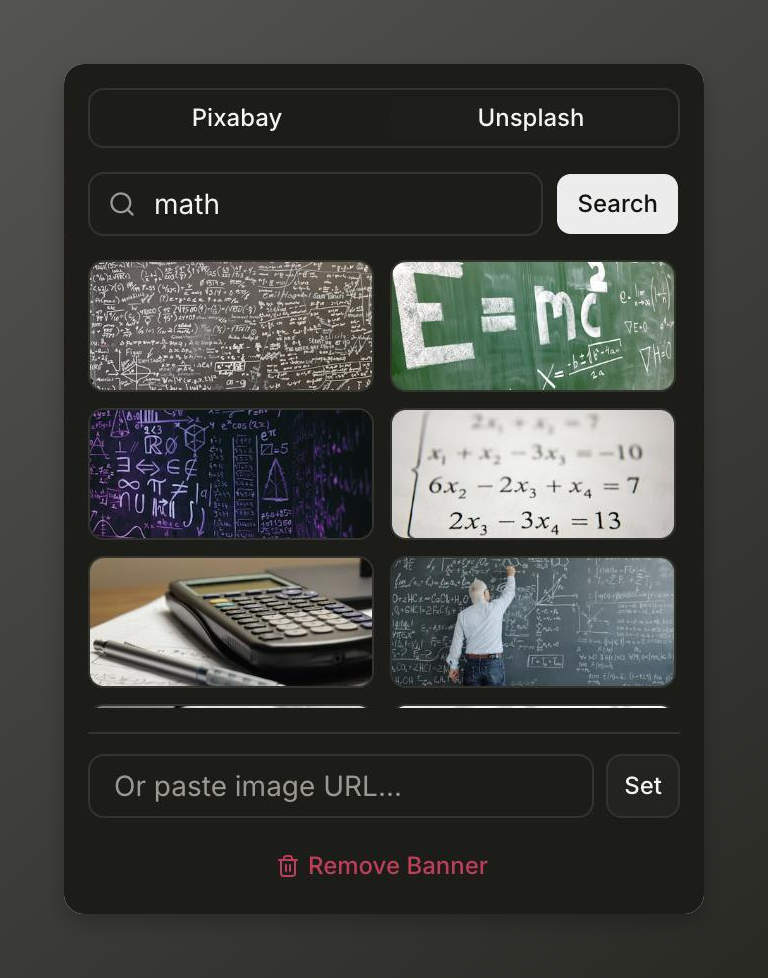
Pick an Overview Banner
Search Pixabay or Unsplash photos, or paste any image URL.
- Switch between Pixabay and Unsplash tabs to search horizontal banner photos.
- Click any thumbnail to apply it immediately with a soft editorial fade at the top of Overview.
- Alternatively, paste a custom image URL or click Remove Banner to clear it.

STEP 07
Header Controls & Publishing
Manage banner, visibility, publishing status, and settings in one place.
- Click Banner to open the Pixabay/Unsplash image selector.
- Toggle Visibility between Public and Private.
- Switch Status between Draft and Published so your repository appears on your public profile.
- Open Settings to update repository metadata or manage advanced options.
STEP 08
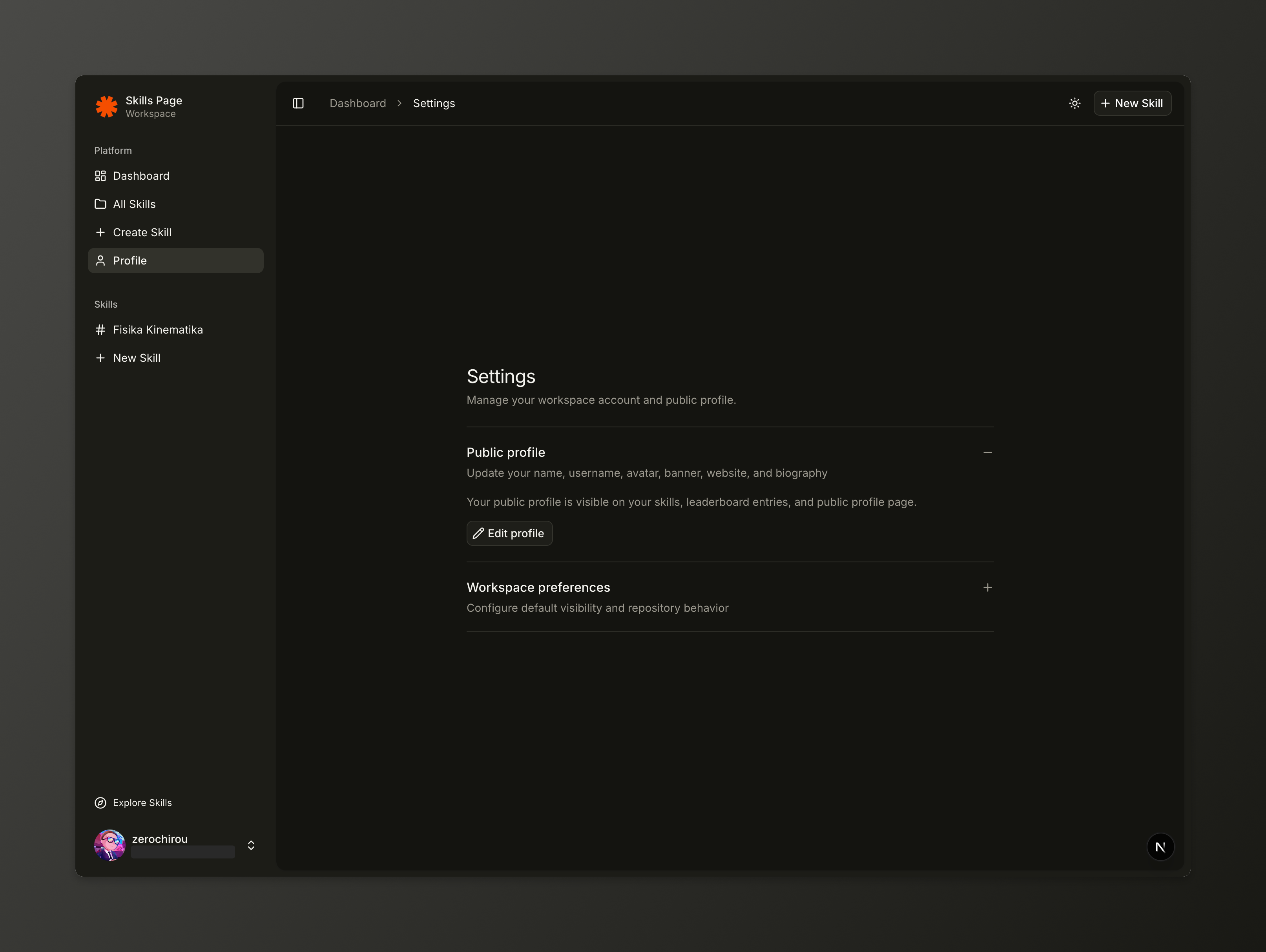
Profile & Workspace Settings
Customize your public identity at /{username}.
- Click Edit profile to set your banner, avatar, first and last name, username, website, and biography.
- Your published public skills automatically appear on your public profile page at /{username}.
Keyboard & Editor Shortcuts
Speed up writing and navigation inside the workspace.
Open internal Wiki-Link autocomplete[[
Indent or outdent list itemsTab / Shift+Tab
Save Overview or active UnitCmd / Ctrl + S
Focus search on the Skills Explorer/